
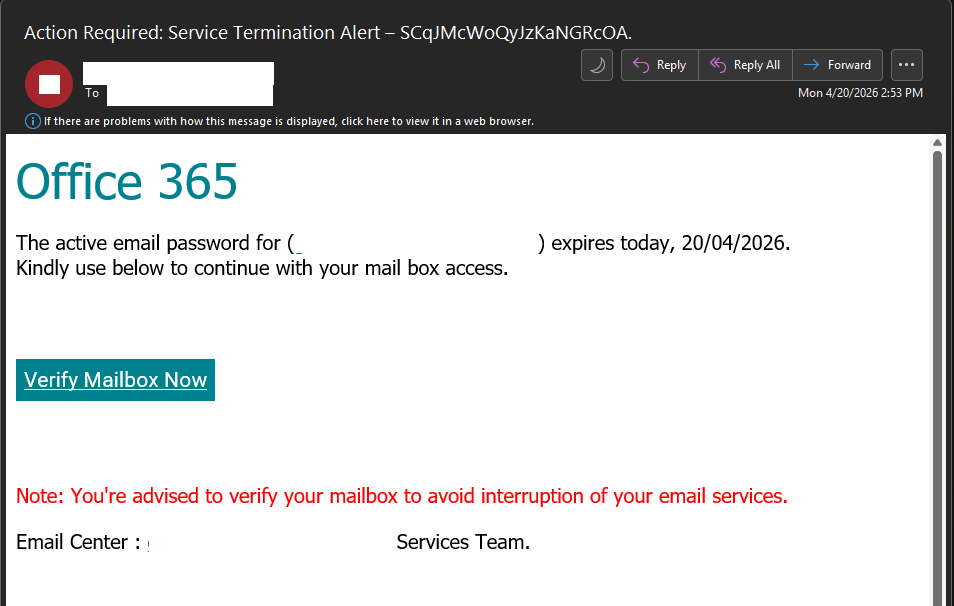
The Information Security Office is aware of a phishing campaign attempting to trick recipients into verifying their mailbox credentials under the guise of an Office 365 password expiration notice.
This is not a legitimate email. Recipients should not click the “Verify Mailbox Now” link or provide any credentials.
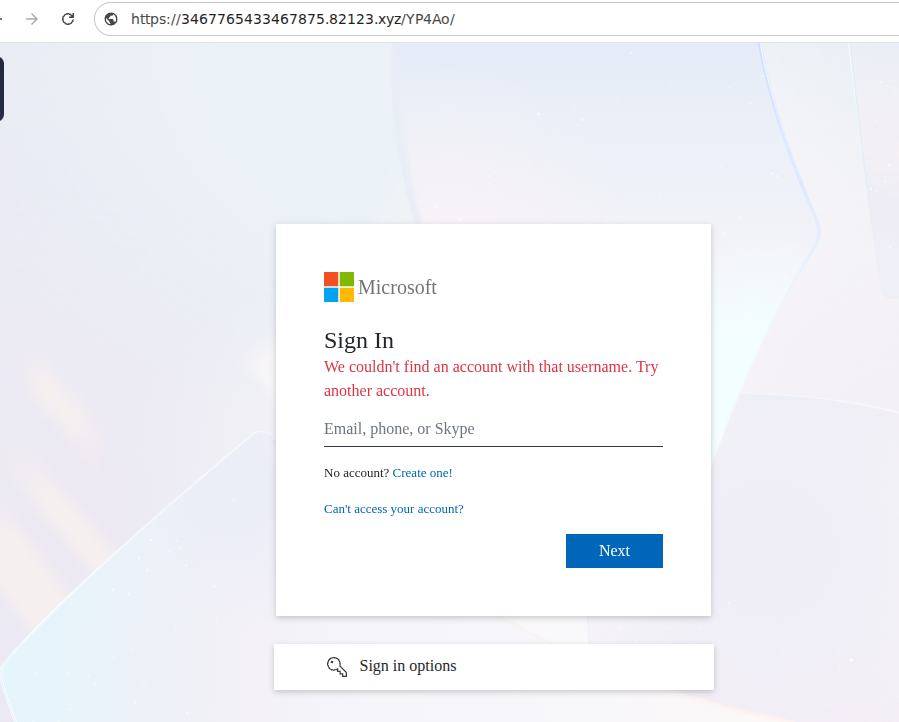
The email claims that the active email password for the account will expire on 20/04/2026, creating urgency to prompt immediate action. When the embedded link is clicked, users are redirected to a fraudulent website that impersonates the Microsoft login page. This page is designed to harvest usernames, passwords, and potentially multi-factor authentication (MFA) codes. This activity is consistent with credential harvesting campaigns targeting Microsoft 365 accounts.
A close inspection of the email reveals several red flags:
- False password expiration notice – Microsoft does not send generic email-only notices requiring users to “verify” their mailbox via embedded links to prevent expiration.
- Urgency and service disruption language – Phrases like “expires today” and “avoid interruption of your email services” are used to pressure users into acting quickly.
- Impersonated Microsoft login page – The “Verify Mailbox Now” link redirects to a fake login portal designed to capture credentials.
- Lack of official Microsoft branding and formatting – The message does not align with legitimate Microsoft or institutional password expiration notifications.
If you clicked the link or entered your credentials, contact the Information Security Office immediately so protective measures can be taken.
Sample subjects for similar phishing emails:
Action Required: Service Termination Alert
Last Call: Communication Playback Received
lMPORTANT Message: Finance Notice
NSA: Career Executed NDA Agreement
Recorded message pIayback
System Syncronization Update on 4/20/2026,
VM Missed Recording
Re: HR Documents, Pending completion approval
Pending Completion Approval Ref/ID
Document
Credit Note 4/20/2026
Clicking on Verify Mailbox Now will redirect you to a page that is impersonating Microsoft.
How to Report a Phishing Scam
The UCLA Information Security Office requests that campus users report phishing messages to our team so that we can proactively alert campus users and bring awareness to widespread phishing campaigns. In order for the Information Security Office to take action in response to a reported phishing message, please follow these steps:
- Please follow instructions on How to Report a Phishing Scam
- Send the resulting message and attachment to security@ucla.edu(link sends email)(link sends email) with a subject line identifying the message as a phishing report.
It is important to be aware of fraudulent phishing schemes. Check back here as we update the list below with known phishing attempts.