
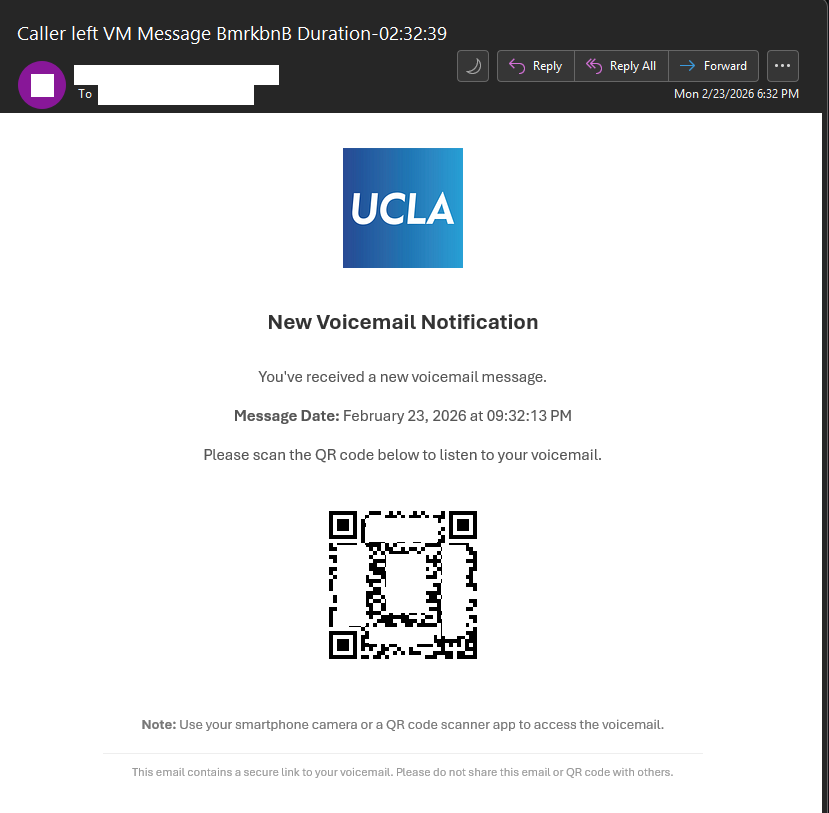
The Information Security Office is aware of a phishing campaign attempting to trick recipients into scanning a malicious QR code under the guise of retrieving a new voicemail message.
This is not a legitimate email. Recipients should not scan the QR code or provide any credentials.
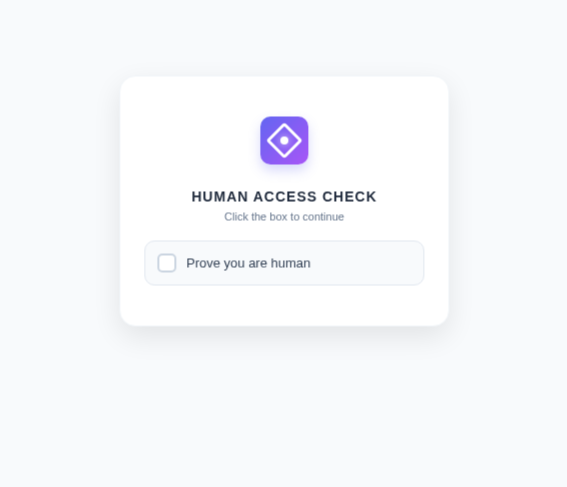
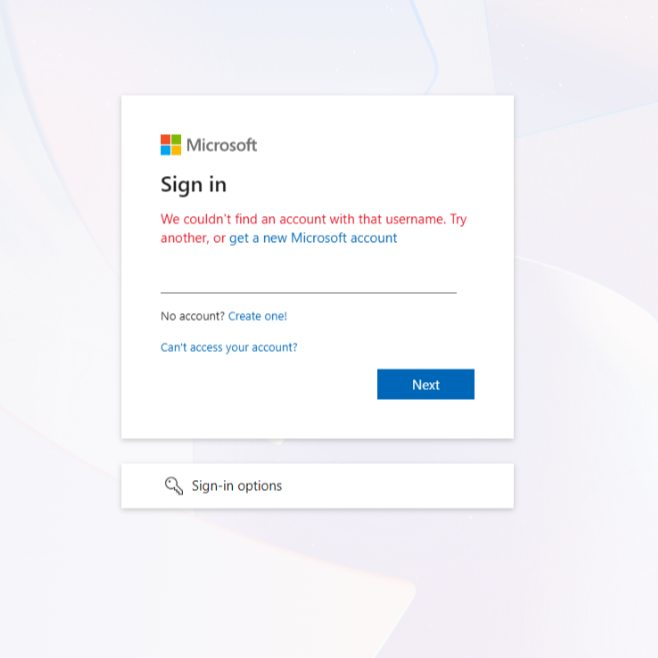
When scanned, the QR code redirects users to a “Human Access Check” page designed to bypass automated security tools. After completing the verification, users are taken to a fraudulent Microsoft login page that attempts to capture usernames, passwords, and multi-factor authentication (MFA) codes. This activity is consistent with Tycoon 2FA, a phishing-as-a-service (PhaaS) platform specifically designed to intercept Microsoft 365 credentials and bypass MFA protections using adversary-in-the-middle techniques.
A close inspection of the email reveals several red flags:
- Unusual QR code request – The email instructs users to scan a QR code to access a voicemail instead of providing a legitimate internal link.
- Human verification step – The QR code leads to a CAPTCHA-style page, which is not part of Microsoft’s normal login process and is used to evade security detection.
- Impersonated Microsoft login page – The final page mimics Microsoft’s sign-in portal to harvest usernames, passwords, and MFA tokens.
- Suspicious or spoofed sender – The sender’s email address is spoofed or not associated with UCLA.
Voicemail lure theme – Unexpected voicemail notifications requesting urgent action are a common phishing tactic.
If you scanned the QR code or entered your credentials, contact the Information Security Office at security@ucla.edu immediately so protective measures can be taken.
Once the QR code is scanned, you are taken to the following page to verify you are human.
Once verified, you will be taken to a page impersonating the Microsoft login page, in an attempt to trick users to sign in allowing the attacker to bypass MFA protections.
Report Scams
If you receive a suspicious email, do not click on any links, scan QR codes, open any attachments, send payment, or supply any credentials. Please do not reply to the email and immediately contact security[@]ucla.edu and report it to your IT team.